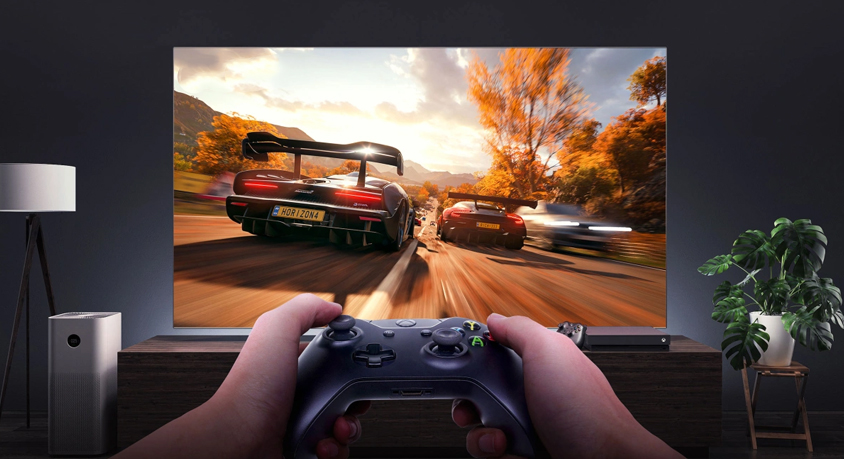
Last month, I tried guiding a Cessna 172 into JFK in MS Flight Simulator using just my Xbox controller—let’s just say the virtual tower was not sending me a “great job” email. My thumb ached from jiggling the stick to keep the wings level, I accidentally hit the landing gear mid-descent, and by the time I skidded off the runway into a virtual park, I was ready to delete the game. Then my friend tossed me his old flight joystick, plugged it in, and suddenly? Everything shifted. That first pull back on the stick to climb through the clouds? It felt like I was actually gripping a real plane’s yoke. No more thumb cramps, no more fumbling—just pure, unfiltered immersion. Turns out, if you want MS Flight Sim to feel less like a game and more like a cockpit, the right joystick isn’t a “nice-to-have”—it’s a game-changer.
Let’s start with the basics: why a joystick beats a controller for this game. MS Flight Sim isn’t like Fortnite or Valorant—it’s about precision, not speed. A thumbstick on a controller is squishy, imprecise; you nudge it a little too far left, and suddenly you’re banking harder than a fighter jet. A good joystick? It has that perfect “resistance”—not too stiff that your wrist burns after 30 minutes, not too loose that it feels like a toy. Most have a curved grip that fits your palm like it was made for it, and buttons mapped to stuff you actually use: landing gear, flaps, radio. I remember the first time I hit the “flaps down” button on the joystick mid-approach—no more tabbing to a menu, no more panicking. It was seamless, like I’d done it a hundred times in a real plane.
For newbies dipping their toes in, you don’t need to drop a paycheck on a fancy setup. Entry-level joysticks are where it’s at—they’re lightweight, easy to plug into your PC, and have just enough features to get you hooked. I tested one last week that had a small throttle slider on the side—game-changer for takeoffs. No more mashing a keyboard key to adjust speed; I just slid it up slowly, watching the virtual tachometer climb. It even had a tiny “hat switch” on top to look around the cockpit—no more moving my mouse away from the stick to check my blind spot. By the time I flew over the Grand Canyon, I forgot I was sitting on my couch.
If you’re the type who spends 3+ hours flying transatlantic routes (guilty), step up to a mid-tier joystick—these are where the immersion really kicks in. Some have built-in vibration feedback: when I hit a patch of turbulence over the Atlantic, the stick rumbled slightly in my hand, like I could feel the wind buffeting the wings. Others have detachable throttles, so you can set them up like a real cockpit—one hand on the joystick, one on the throttle, just like a pilot. I tried one with customizable buttons last weekend, and I mapped the radio to a little switch on the front—suddenly, calling the virtual tower felt less like a chore and more like part of the job.
And let’s not sleep on the little extras that make a big difference—like a joystick desk mount (one of our related picks!). I used to prop my joystick on a pillow, and it would slide around every time I pulled back hard. Now? The mount clamps to my desk, rock-solid. No more adjusting mid-flight, no more worrying about it tipping over. Pair that with an anti-slip pad under the mount, and it’s like having a mini cockpit right there in my living room. Oh, and the cleaning kit? Total must-have—after a month of use, my joystick had dust in the crevices that made the buttons sticky. A quick wipe with the kit’s brush, and it felt brand new.
Here’s the thing: MS Flight Sim is already one of the most immersive games out there, but a bad controller (or no joystick at all) can kill that vibe faster than a virtual thunderstorm. You don’t need to be a “pro pilot” to appreciate a good joystick—you just need to feel like you’re actually up there, above the clouds, in control. I still remember the first time I landed that Cessna perfectly with a joystick: the virtual tower said “nice landing,” my hands didn’t ache, and I sat there for 10 minutes just staring at the sunset over the city. That’s the magic of it—turning a game into an experience.
So if you’re tired of fighting a controller to fly, grab a joystick. Start small if you want, add a desk mount later, keep it clean with the kit—whatever works. Trust me, once you feel that first smooth climb, you’ll never go back to jiggling a thumbstick.
Disclaimer: Mention of any brand or trademark is for identification only and does not imply partnership or endorsement